Number Picker — Spin the Wheel to Pick a Random Number
1. What is the Number Picker?
The Number Picker is a free online spinning wheel that randomly selects a number from any range you define. You set your minimum and maximum values, click Spin, and the wheel animates before landing on a randomly chosen number. The entire process is visual, transparent, and fair — everyone watching can see exactly how the selection happens.
Under the hood, the Number Picker uses the Web Crypto API when available, with a standard browser random fallback. Every number occupies one equal-sized wheel slice, so each receives equal selection probability. It is suitable for games, classroom activities, informal drawings, and everyday random choices.
Best for / Not best for
- Best for: numbered tickets, raffle IDs, random ranges, games, and sampling.
- Not best for: names, usernames, or balanced group formation. Use Name Picker or Team Picker instead.
2. How to Use the Number Picker
The Number Picker is designed to be simple and intuitive. Most users can start spinning within seconds, but here is a detailed walkthrough of every step:
- Open the Number Picker. Navigate to this page. The wheel and input panel load automatically — no sign-up, no downloads, no installation required.
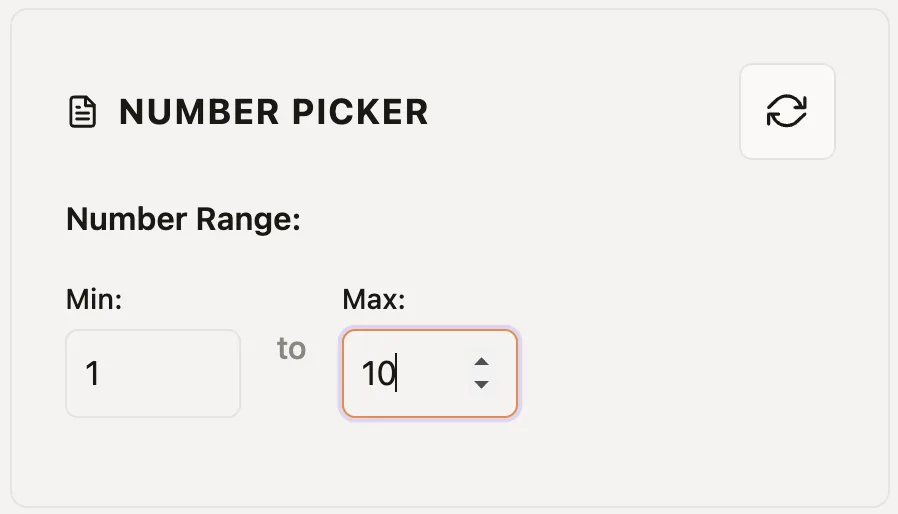
- Set your number range. Use the input panel on the side of the wheel. Enter your minimum and maximum values. Each number appears as a segment on the wheel in real time.
- Edit your range (optional). Adjust the min/max values. Changes reflect instantly on the wheel.
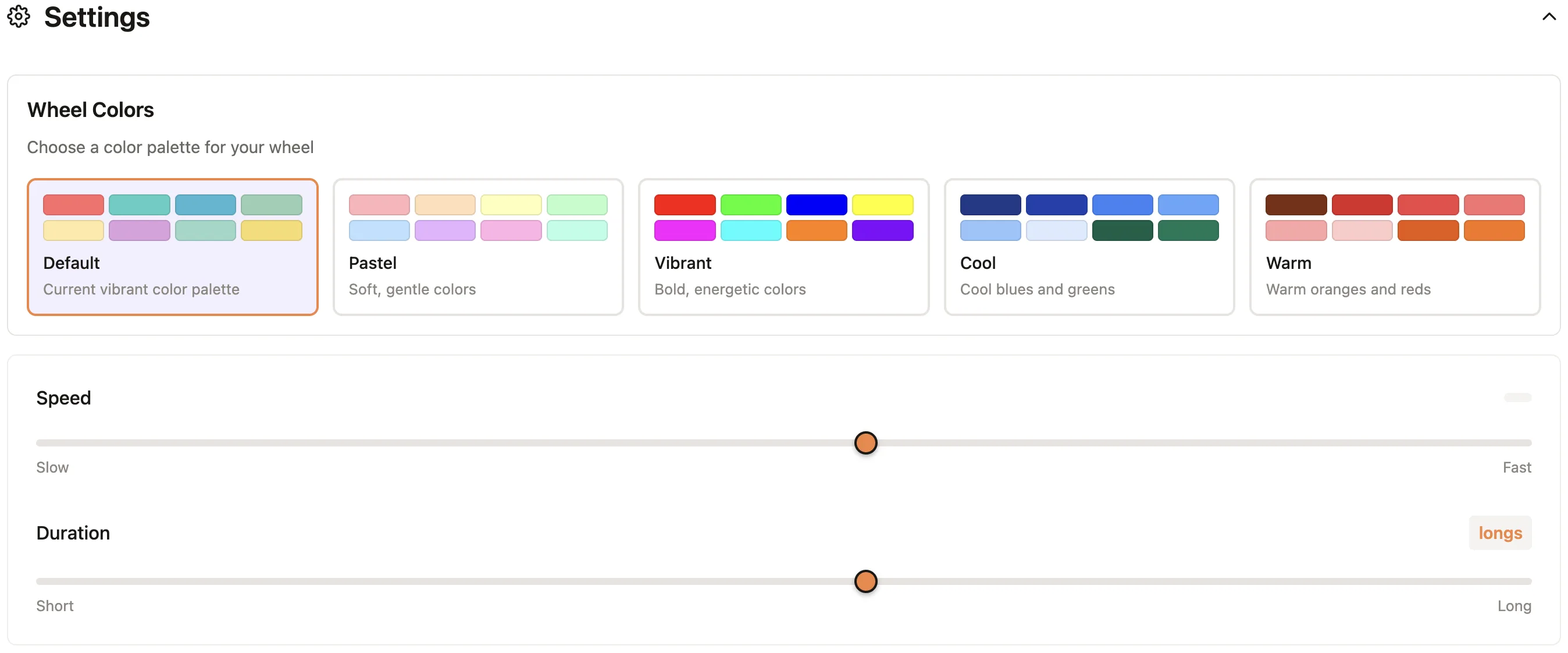
- Adjust settings (optional). Open the settings panel to choose a short or long spin and switch color themes.
- Spin the wheel. Click the Spin button in the center of the wheel (or press the Space or Enter/Return keys on your keyboard). The wheel spins with realistic physics and slows to a stop. The pointer indicates the winning number.
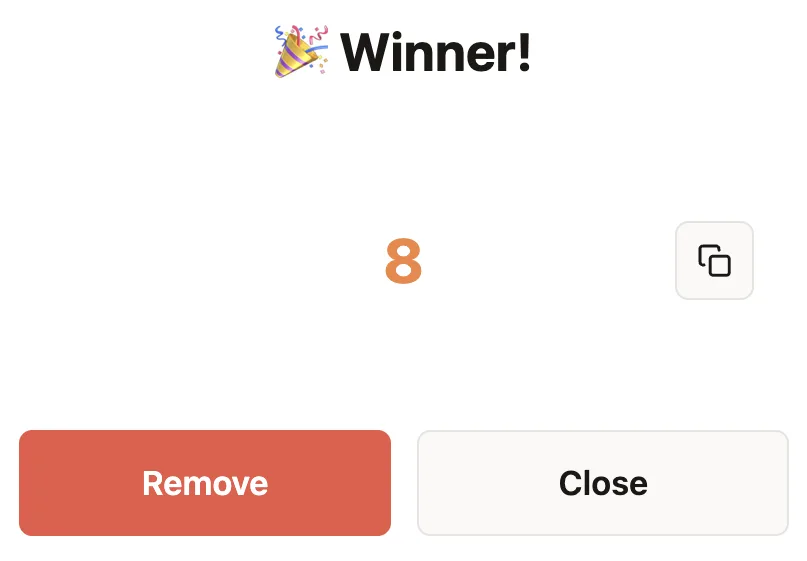
- View and act on the result. A result popup announces the selected number. From here you can copy the number to clipboard, remove it from the wheel for the next spin, or dismiss and spin again.
That is all it takes. For recurring use, you can bookmark your configured wheel or share the link with others.
3. Setting Your Number Range
The Number Picker supports flexible ways to define which numbers appear on the wheel:
Using Min/Max Range
The simplest way to populate the wheel is to set a minimum and maximum value. Enter your desired range (for example, 1 to 42), and the wheel automatically generates all integers in that range. This works well for dice simulations, lottery numbers, or any continuous sequence.
Large Ranges
The wheel can take numbers from 1 to maximum 10'000. However, for visual clarity, smaller ranges (under 100 numbers) work best — larger ranges create very thin segments that are hard to read. The randomness remains mathematically fair regardless of range size.
Reset Numbers
You can reset number range to defaults by clicking the Reset button, then set a new range.
4. Wheel Settings
The Number Picker works out of the box with sensible defaults, but the settings panel lets you tailor the experience for different contexts — from quick picks to dramatic live drawings.
Spin behavior
- Spin duration: Choose a short three-second spin or a longer five-second spin.
Colors and themes
Switch between color palettes to match your brand, presentation theme, or stream overlay. Each theme changes the segment colors on the wheel while keeping numbers legible.
5. Keeping or Removing Results
The Number Picker supports two primary modes of action. Understanding these modes helps you use this tool to its fullest.
Normal Mode
The wheel picks a number and that number stays on the wheel for subsequent spins. This is useful when:
- The same number can be selected multiple times (for example, simulating dice rolls where repeats are expected).
- You want to spin multiple times and compare results without modifying the range.
- You are running statistical experiments where each spin should be independent.
Removing a result
Click Remove in the result popup to take a selected number off the wheel before the next spin.
This is essential when:
- Running a raffle where each ticket number can only win once.
- Selecting multiple unique numbers for a lottery drawing.
- Assigning numbered items to participants without duplicates.
- Creating a countdown or draft-style selection process.
6. Saving and Sharing Your Wheel
You do not need an account to save and share your Number Picker configuration. Saving is free and available to every user.
How saving works
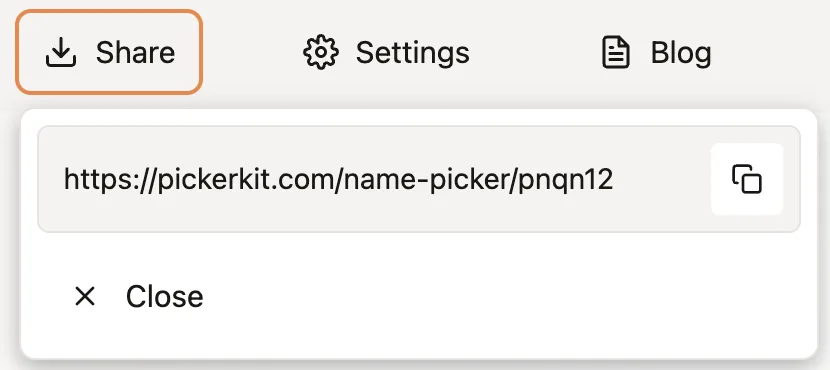
You work with the wheel, set your number range, change configuration, etc. You can then click the Share button in the top menu to get a shareable link. A small box with the link will pop up. You can now click the copy button to copy the link to your clipboard.
Sharing with others
Copy the URL and send it to colleagues, players, or your audience. When they open the link, they see the same wheel with the same numbers — ready to spin. (Note: their operations will not change your wheel configuration. It will remain constant and you can always refer to it.) This is perfect for:
- Game hosts sharing a configured wheel with players.
- Event organizers distributing a raffle wheel to co-hosts.
- Teachers sharing a number range wheel with students.
Organizing multiple wheels
Create separate configurations for different purposes (one wheel per game, one per event, one per class). Save each URL as a bookmark. Organize them in browser folders for quick access — for example, a "Game Wheels" folder or a "Raffle Wheels" folder.
7. Use Case: Games and Entertainment
The Number Picker is a versatile tool for games and entertainment, replacing physical dice, lottery balls, and random number generators with a visual, engaging experience.
Digital dice replacement
Set the range to 1-6 for a standard die, 1-20 for a D20, or any custom range. The spinning wheel adds drama and visual excitement that a simple random number generator lacks. Perfect for board games, drinking games, or party activities.
RPG and tabletop gaming
Dungeon masters and game masters use the Number Picker for random encounters, loot tables, NPC generation, and any situation requiring visible randomness. Screen-share the wheel during online sessions so all players can see the result as it happens.
Bingo and lottery simulations
Set up a 1-75 range for bingo or 1-49 for lottery simulations. Remove each result before the next spin to avoid repeats.
Prize wheels and game shows
Create custom number wheels for prize amounts, point values, or challenge levels. The dramatic spin builds anticipation for contestants and audience alike.
8. Use Case: Education and Teaching
Educators use the Number Picker for interactive lessons, fair selection, and mathematical demonstrations.
Probability demonstrations
Math teachers use the wheel to demonstrate probability concepts. Students can predict outcomes, observe actual results over multiple spins, and compare theoretical vs. experimental probability. The visual nature makes abstract concepts concrete.
Random problem generation
Generate random numbers for math problems: "Solve 7 × [spin the wheel]" or "Find the square root of [spin the wheel]." This keeps practice sessions unpredictable and engaging.
Fair student selection
Assign each student a number and spin to select who answers the next question, presents first, or joins a particular group. The transparency of the spinning wheel removes any perception of favoritism.
Classroom games
Use numbered categories for trivia games, assign point values to questions, or create random challenges. The wheel adds excitement to otherwise routine activities.
9. Use Case: Contests and Lotteries
Running a transparent drawing builds trust with participants. The Number Picker's visual spinning wheel shows everyone exactly how winners are chosen — no hidden algorithms, no behind-the-scenes manipulation.
Setting up a raffle
- Assign each participant a ticket number.
- Set the Number Picker range to match your ticket numbers (e.g., 1-500).
- Remove each result before spinning for another winner.
Running the drawing live
Screen-share the wheel during a live stream, webinar, or in-person event. Click Spin and let your audience watch the wheel slow down and land on a winning number. The visual drama creates engagement and proves the selection was random.
Multiple prize tiers
For drawings with multiple prizes, click Remove after each winner and spin again. This ensures each ticket number wins at most one prize.
Documentation
The result popup shows the selected number clearly. Screenshot or record the drawing for your records. The saved wheel link also serves as documentation of your configuration.
10. Tips and Best Practices
Get the most out of the Number Picker with these practical tips:
- Keep ranges under 100 for readability. The wheel can handle thousands of numbers, but segments become hard to read. For large ranges, the wheel still works correctly — you just won't see every number on the visual.
- Remove results for no-repeat scenarios. For raffles, lottery drawings, or unique selections, use the Remove button after each spin.
- Test your settings before going live. If you are running a public drawing, do a practice spin beforehand to confirm the range, timing, and visual appearance are set correctly.
- Bookmark frequently used configurations. If you use the same number range repeatedly (weekly lottery, recurring game), save the URL as a bookmark for instant access.
- Share the link, not a screenshot. If you want others to use your wheel, send them the URL so they get an interactive, spinnable version.
12. Frequently Asked Questions
Is the Number Picker truly random?
The Number Picker uses the Web Crypto API when available, with a standard browser random fallback. Each number occupies one equal-sized wheel slice and receives equal selection probability.
Can I generate negative numbers?
Not at the moment. We are considering adding this feature in the future.
What's the maximum range size?
There is no hard limit. The wheel can handle ranges up to 10'000. However, for visual clarity, smaller ranges work best as larger ranges create very thin segments. The randomness remains fair regardless of range size.
How do I select multiple unique numbers?
Click the Remove button in the result popup after each spin. The selected number will be removed from the wheel, ensuring all subsequent selections are unique.
Can I save my number wheel and use it again?
Yes. Click the Share button to generate a link that encodes your entire configuration. When you open that link again, all your numbers and settings will be restored exactly as you left them.
Can I share my wheel with others?
Yes. Copy the saved URL and send it to anyone. They will see the same wheel with the same numbers and can spin it themselves. This is perfect for sharing lottery wheels or game configurations with co-hosts.
Does the Number Picker work on mobile devices?
Yes. The Number Picker is fully responsive and works on phones, tablets, and desktop computers. The interface adapts to your screen size with smooth touch interactions.
Do I need to create an account?
No. The Number Picker is completely free and requires no sign-up, login, or account creation. Just open the page and start using it immediately.
Can I use this for lottery drawings?
Yes. Set the range to match your ticket numbers, remove each winner before the next spin, and screen-share the draw for visibility.
Is the Number Picker free to use?
Yes. The Number Picker is 100% free with no hidden costs, premium tiers, or usage limits. Use it as often as you like.